91ºÚÁÏÍø
SPECIAL DATES and ANNOUNCEMENTS
Ìý
Brain Research Platforms Advance in Montreal( June 2026)
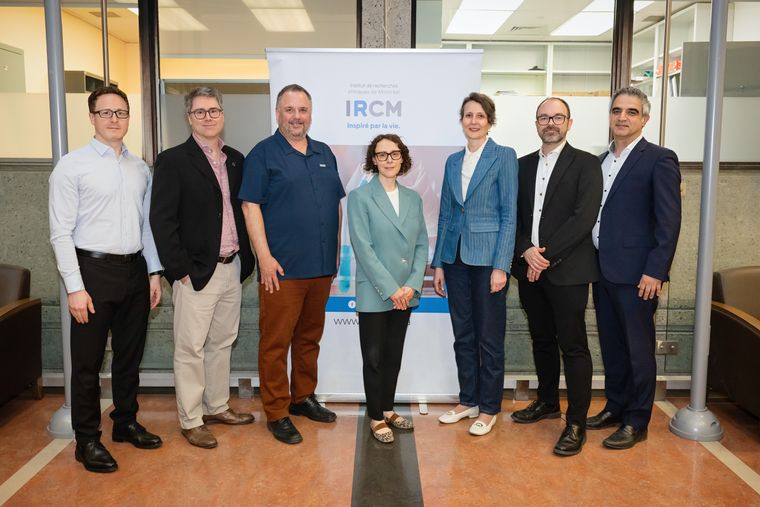
The projects, one based at the Institut de recherches cliniques de Montréal (IRCM), affiliated with Université de Montréal, and the others based at 91ºÚÁÏÍø and The Neuro (Montreal Neurological Institute-Hospital), will give researchers across Canada access to powerful shared tools, from RNA drug testing and advanced molecular analysis to living human nervous tissue and integrated patient data.
Ìý
Ìý
Ìý
Ìý
Ìý
Ìý
Ìý
December 2024
Coloring Books for Kids

Ìý
In the holiday spirit, and in collaboration with the Neuron Family project, a donation of the “How we feel / Explorons nos sens� colouring books was made to the Montreal Children’s Hospital in late December. Additional donations are being planned for St Justine’s and for the Shriner’s in the near future.
Ìý
Ìý
Pain Centre YouTube Video program
Ìý
We are constantly striving to raise our public profile, and one spoke of this effort is our YouTube channel. This is an open call to all trainees in the Centre. Science communication is an important skill, one that will only become increasingly important in the years to come. We would like to “host� short (5-6 minute) videos describing your research findings. Not only does this add to your “CV-able� skills, but also we will pay you $100 for the video.
Sound interesting? It is not as hard as you think. While there are a number of software solutions to select from, we recommend that you do this using PowerPoint, a program that you are undoubtedly familiar with. Create a PPTX file with an integrated audio file (of you narrating the slides). Once this finished, you save the presentation as a video (select File
- Export > Create a Video > Select Video Quality > Use Recorded Timings and Narrations> Create Video), giving you an MP4 file that we can upload to YouTube.
The channel’s main page is
